
Telecom Site Preventive Maintenance Checklist: Power, Cooling and Passive Infrastructure
Telecom site preventive maintenance covers four layers: power (mains, generator, rectifier and 48 V batteries), cooling (air conditioners, heat exchangers and filters), passive infrastructure (tower, antennas, earthing, shelter or cabinets) and the site itself (fence, access, vegetation). Most operators check active sites every three to six months, read alarms remotely in between, and schedule structural tower inspections every three to five years.
In this article
A telecom site is small, unmanned and usually far away. It runs day and night on equipment that nobody looks at until something fails, and when it fails, thousands of subscribers notice before anyone on the maintenance team does.
Preventive maintenance exists to find the weak point on an ordinary visit: the clogged filter, the battery block that has lost its capacity, the loose earthing bolt, the bush growing through the fence. This checklist is built from the work of running a large number of telecom sites every day.
What does telecom site maintenance cover?
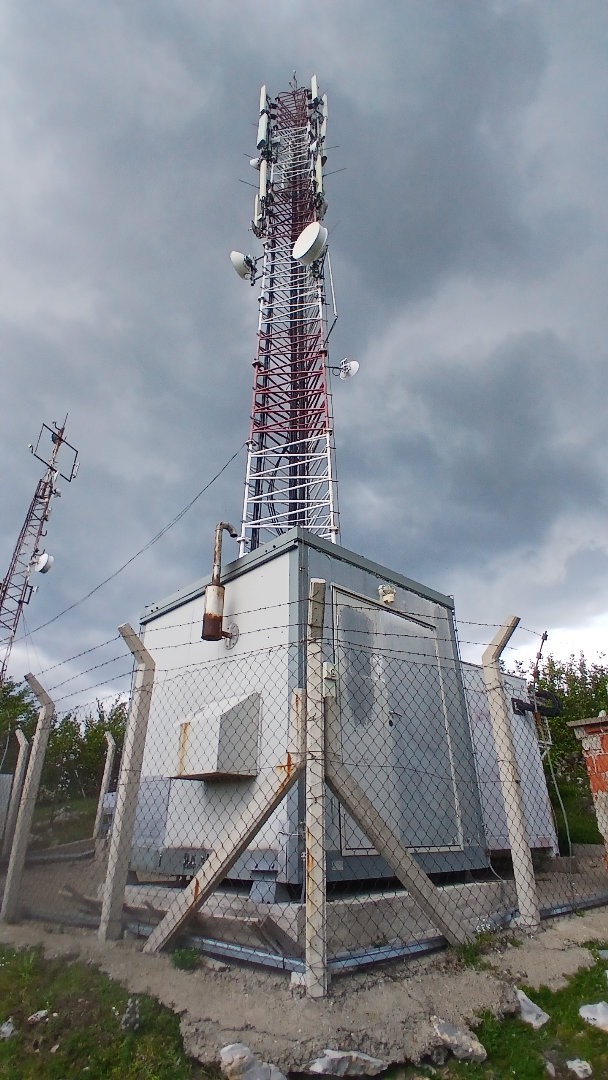
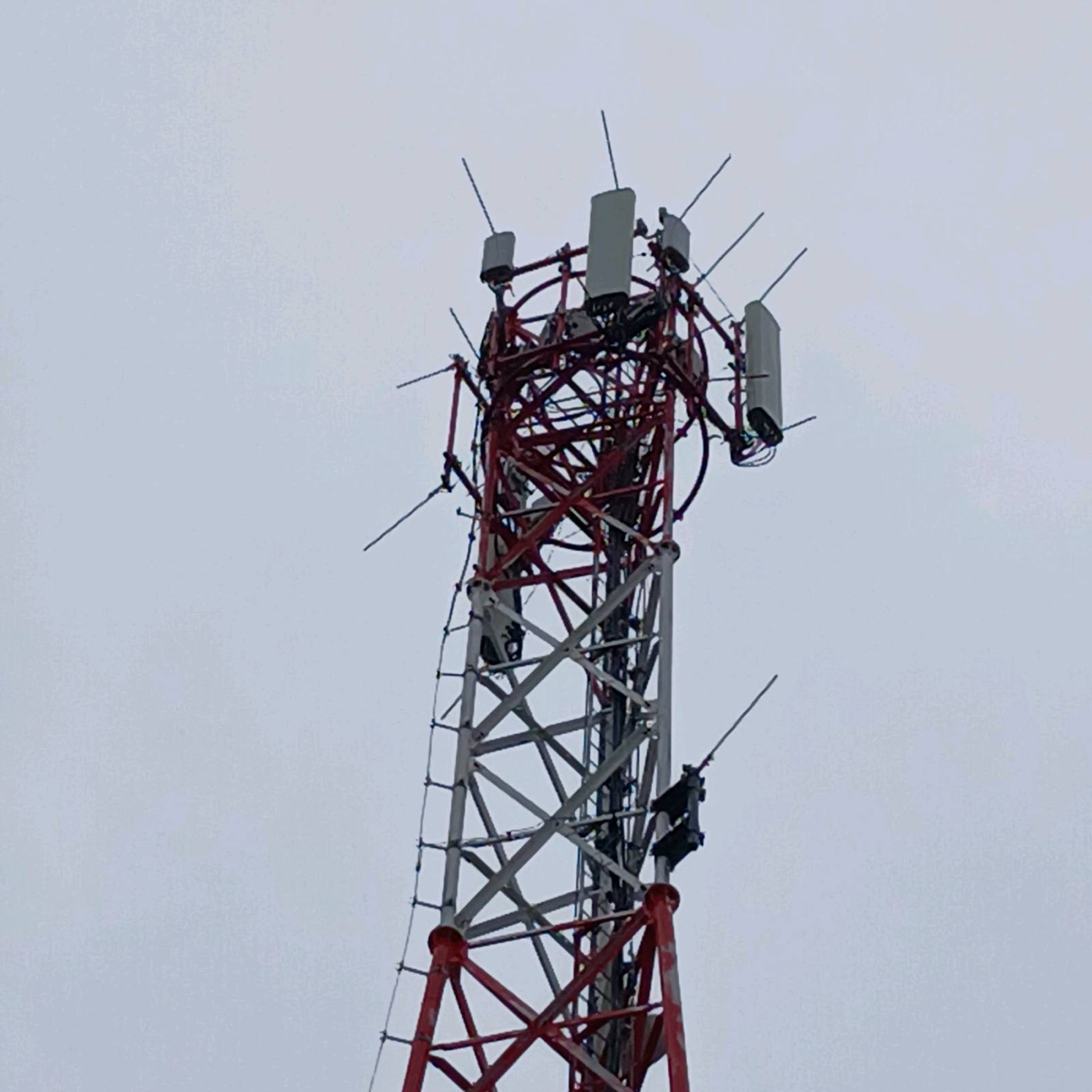
A site has four layers, and each one fails in its own way:
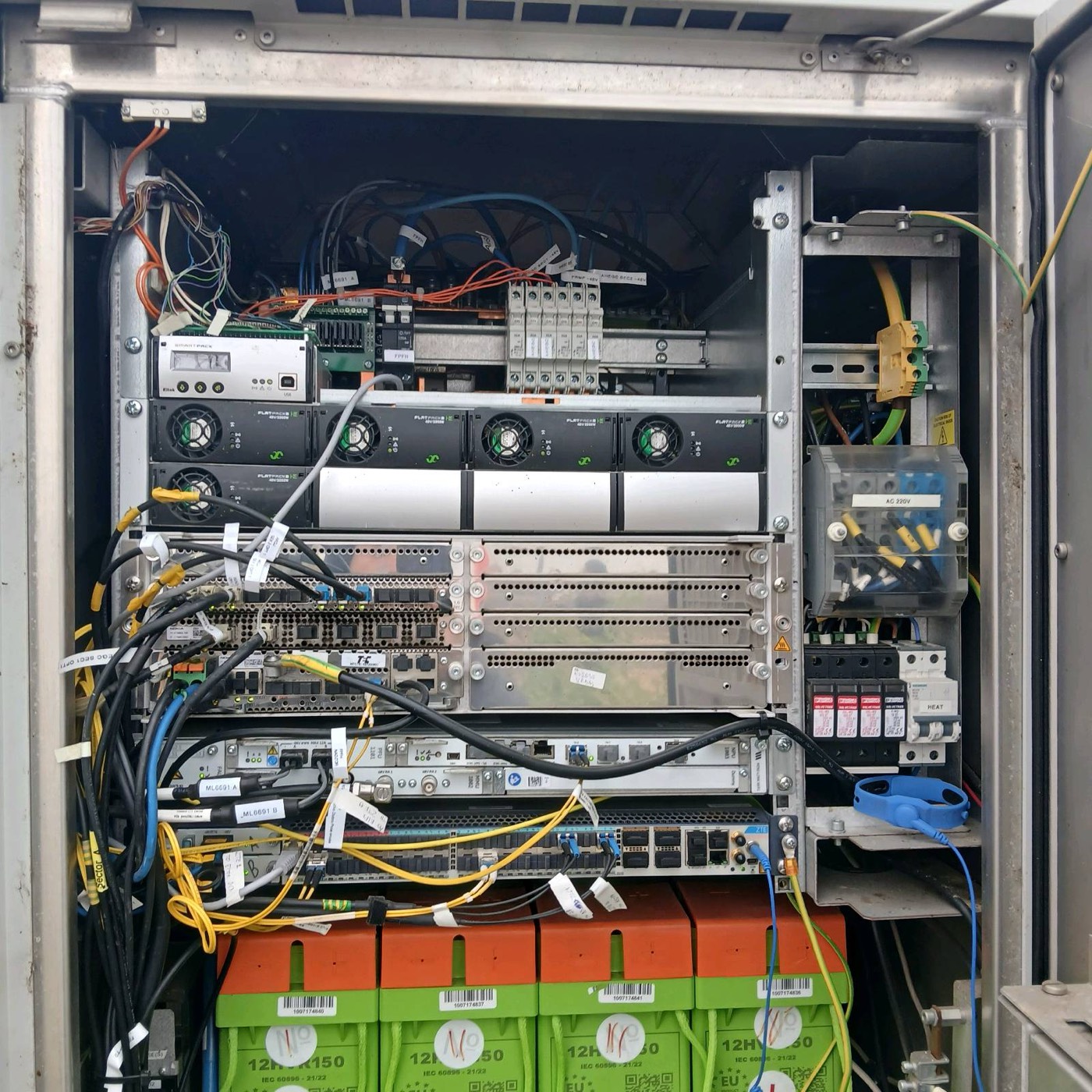
- Power: mains supply and metering, the distribution board, surge protection, the generator where there is one, the rectifier system and the 48 V battery string behind it.
- Cooling: air conditioners in shelters, heat exchangers or fan units in outdoor cabinets, filters, and the temperature sensors and alarms that watch them.
- Passive infrastructure: the tower or mast, antenna mounts, feeders and cable ladders, the earthing system, aviation obstruction lights, and the shelter or cabinets themselves.
- The site: fence, gate and locks, access road, vegetation, drainage, signage and fire protection.
The active radio and transmission equipment is usually maintained by the operator or the equipment vendor. The maintenance team keeps everything around it working: power, temperature, structure and access.
How often should telecom sites be maintained?
There is no single interval for every site. It depends on the operator's contract, the climate, the site type and how much is monitored remotely. A common pattern looks like this:
| Task | Typical interval | Notes |
|---|---|---|
| Remote alarm and status check | Continuous, reviewed daily | Mains, rectifier, battery, temperature, door and generator alarms |
| Preventive site visit | Every 3 to 6 months | Shorter for hot climates, generator sites and critical hubs |
| Air conditioner and filter service | Every 3 to 6 months | Filters often need cleaning on every visit in dusty or agricultural areas |
| Battery measurements | Every visit | Block voltages, string voltage, temperature; capacity test once a year or per contract |
| Earthing resistance measurement | Once a year | And after lightning damage or major works |
| Vegetation and site cleaning | Every visit, more often in season | Spring and summer growth is the main driver |
| Structural tower inspection | Every 3 to 5 years | Per ANSI/TIA-222-H: about 3 years for guyed masts, 5 for self-supporting towers, and after severe weather |
Telecom site preventive maintenance checklist
Before the visit
- Read the site's alarm history for the last period: mains failures, battery discharges, high temperature, door openings and generator runs.
- Check open tickets and earlier findings, so the visit closes known issues instead of rediscovering them.
- Confirm access: keys or codes, landowner notice where needed, and any work permits for climbing.
Power and batteries
- Read mains voltage on each phase and check the meter and the distribution board for heat marks, loose terminals and tripped breakers.
- Inspect surge protection devices; replace any with a failed indicator.
- Check the rectifier: output voltage, load current, module status and alarms. A 48 V system on float typically sits around 54 V; follow the battery manufacturer's float setting.
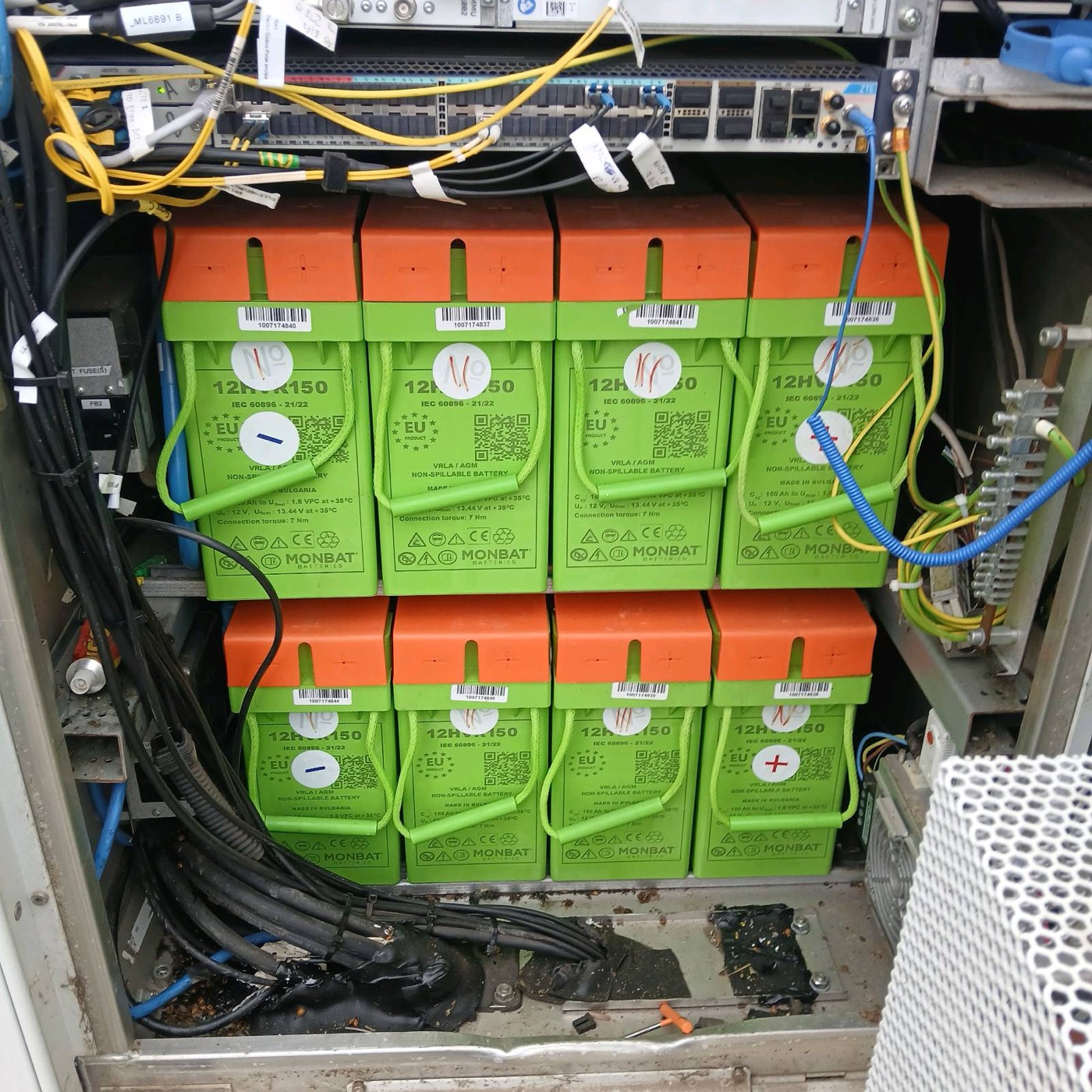
- Measure every battery block and the string voltage, check terminals and connectors, and look for swelling or leaks.
- Record battery temperature and the installation date of the string.
- On generator sites, run the generator under load, check fuel level and quality, and read the controller's alarm log.
Cooling
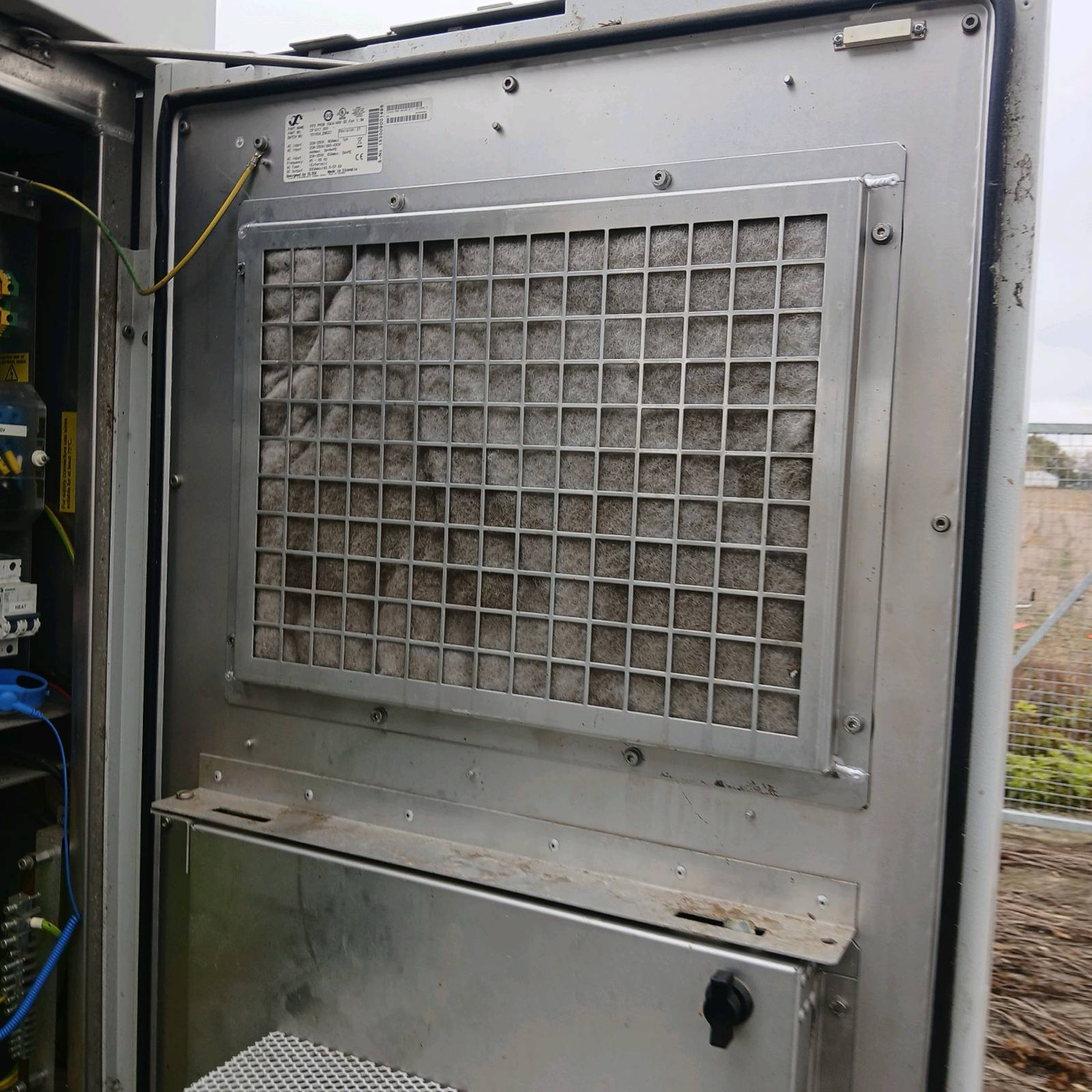
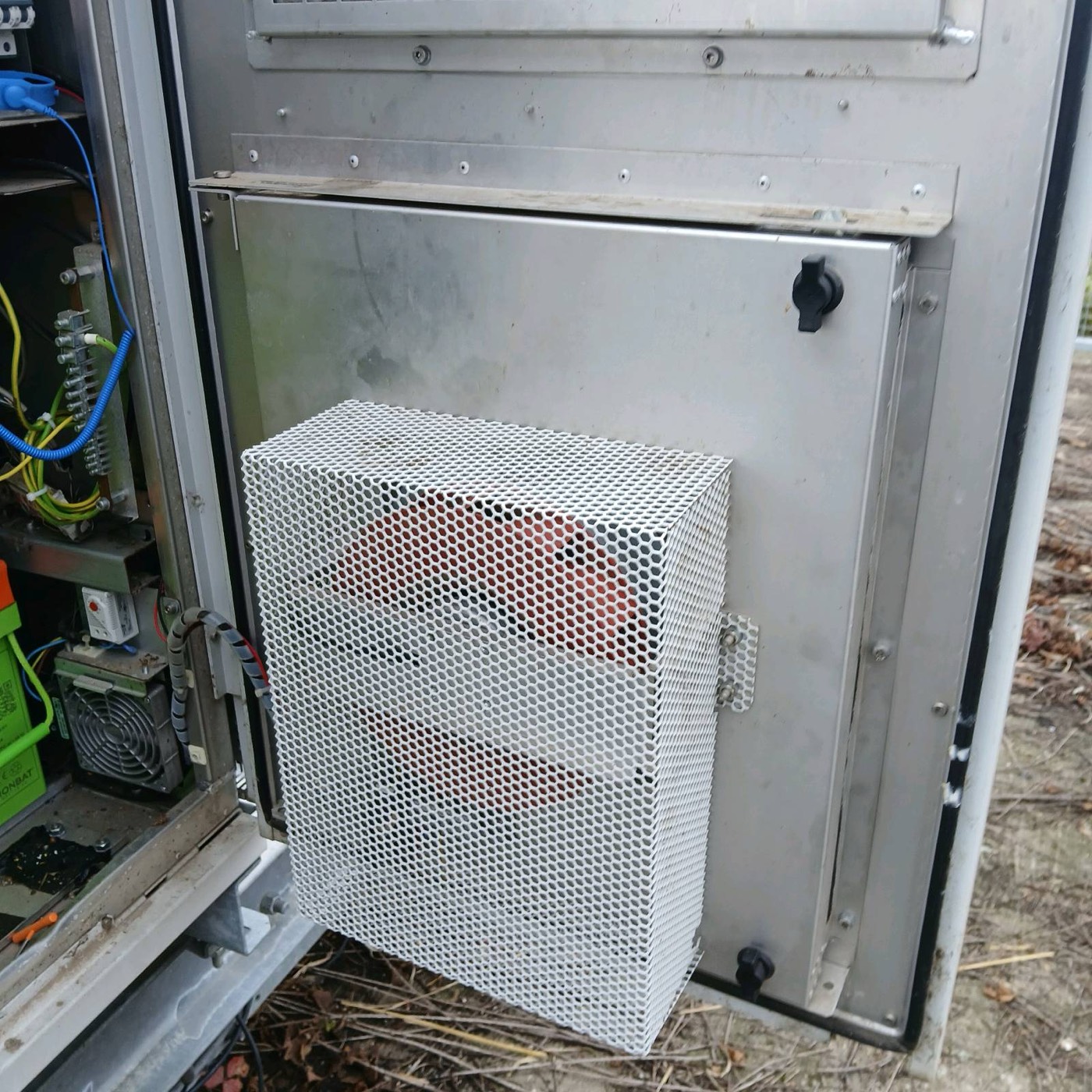
- Clean or replace air filters in cabinets and air conditioners.
- Check that air conditioners start, cool and switch over as designed where there are two units in duty and standby.
- Clean condenser coils and check fans and the condensate drain.
- Read the controller's alarm log, not only the current status.
- Compare the room or cabinet temperature with the setpoint and with the remote reading, so a drifting sensor is caught.
Electrical safety and earthing
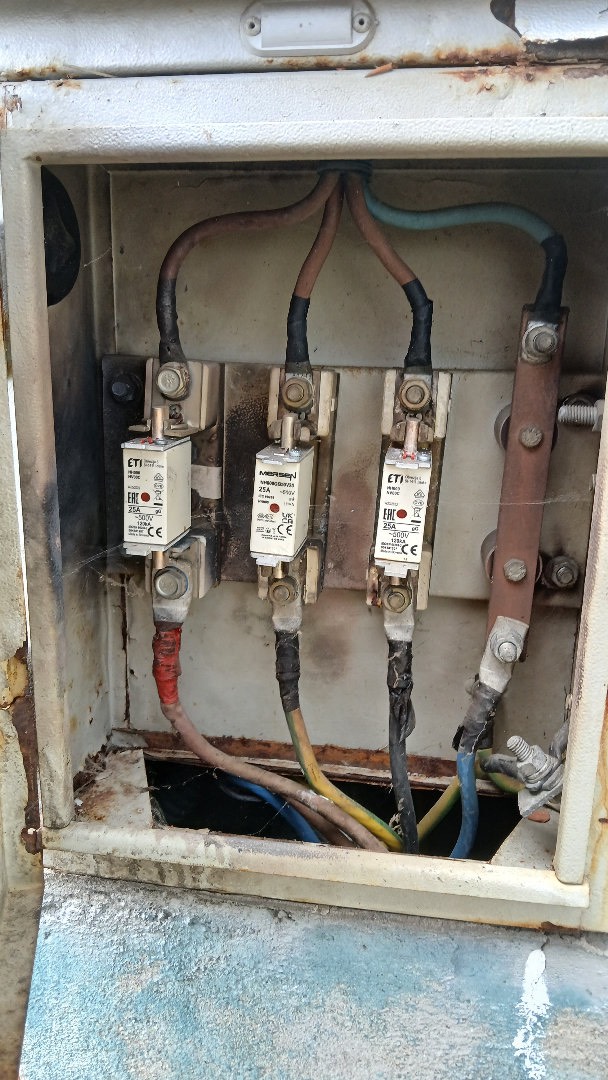
- Inspect fuse holders, terminals and busbars for discolouration and heat damage.
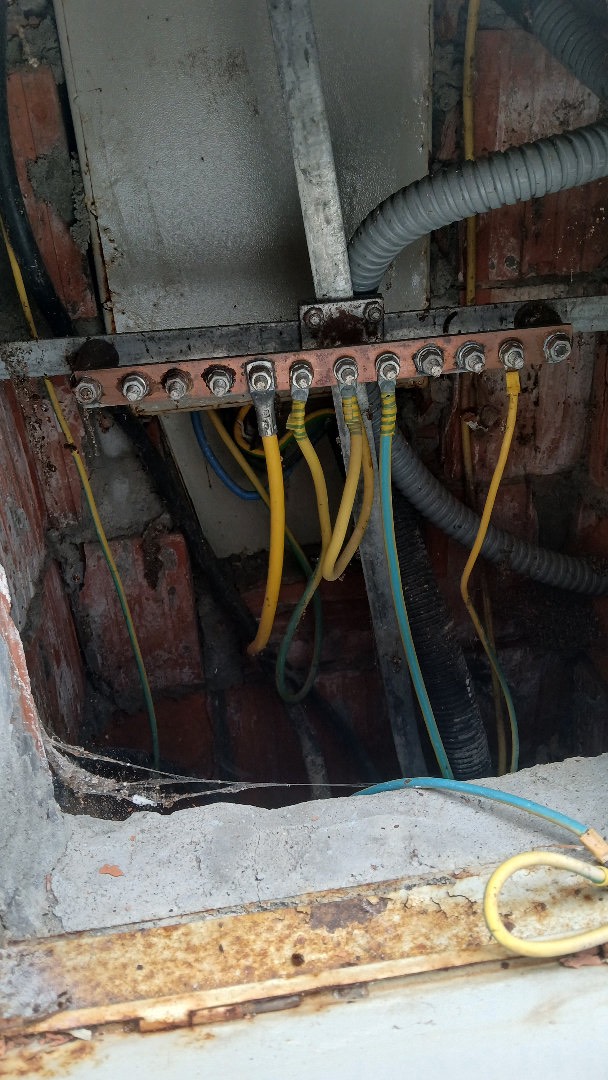
- Check earthing conductors and connections on the tower, cable entry, cabinets and equipment: tight, not corroded and not painted over.
- Measure earthing resistance at the interval in the contract, and compare it with earlier measurements and the operator's limit.
Tower, antennas and the shelter
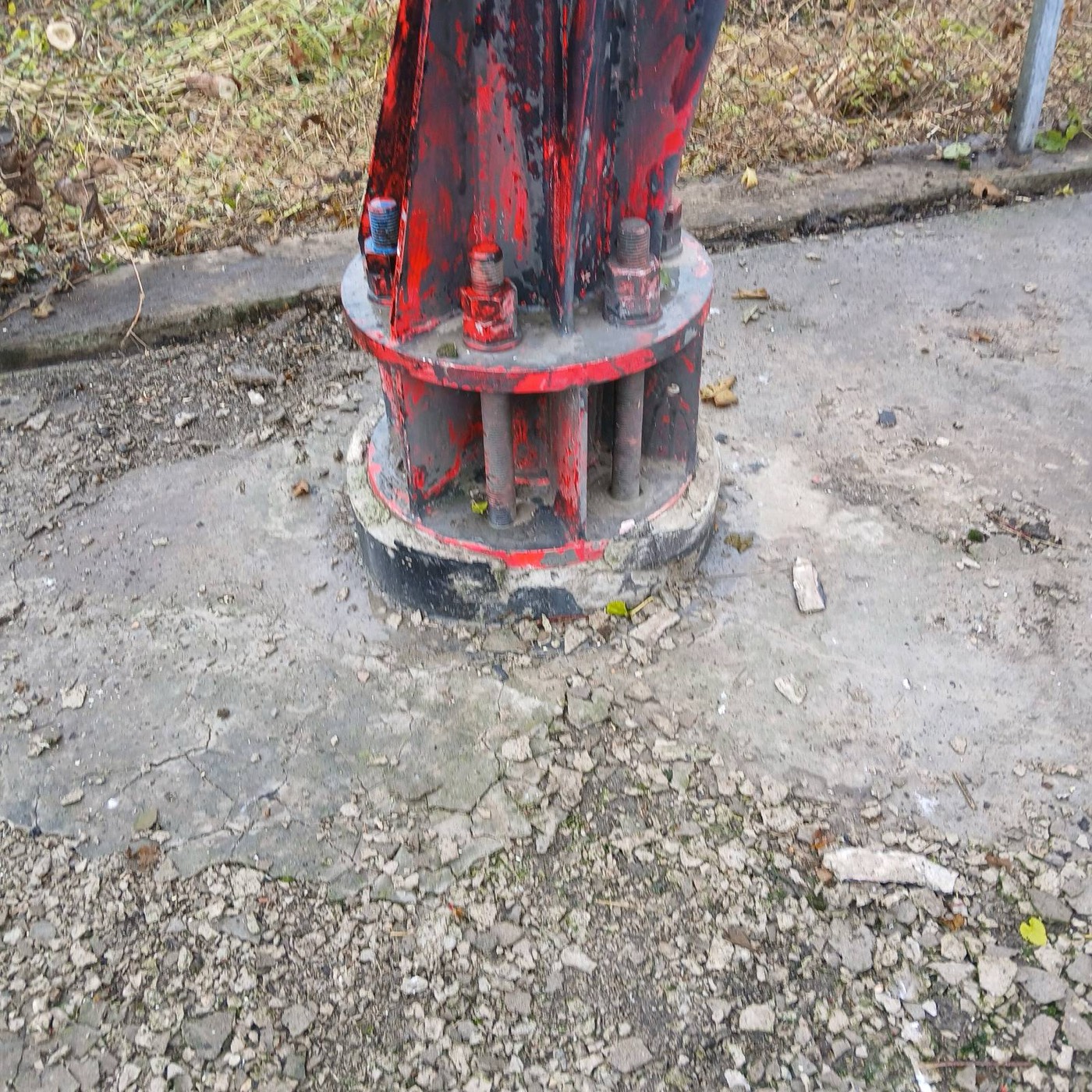
- Visually check the tower from the ground: bolts and base plates, corrosion, paint, missing members and foreign objects.
- Check antenna and feeder mounts, cable ladders and weatherproofing where visible.
- Confirm the aviation obstruction lights work, where fitted.
- Inspect the shelter or cabinets: doors, seals, roof, cable entry glands and any sign of water, insects or rodents.
The site
- Check the fence, gate, locks and signage.
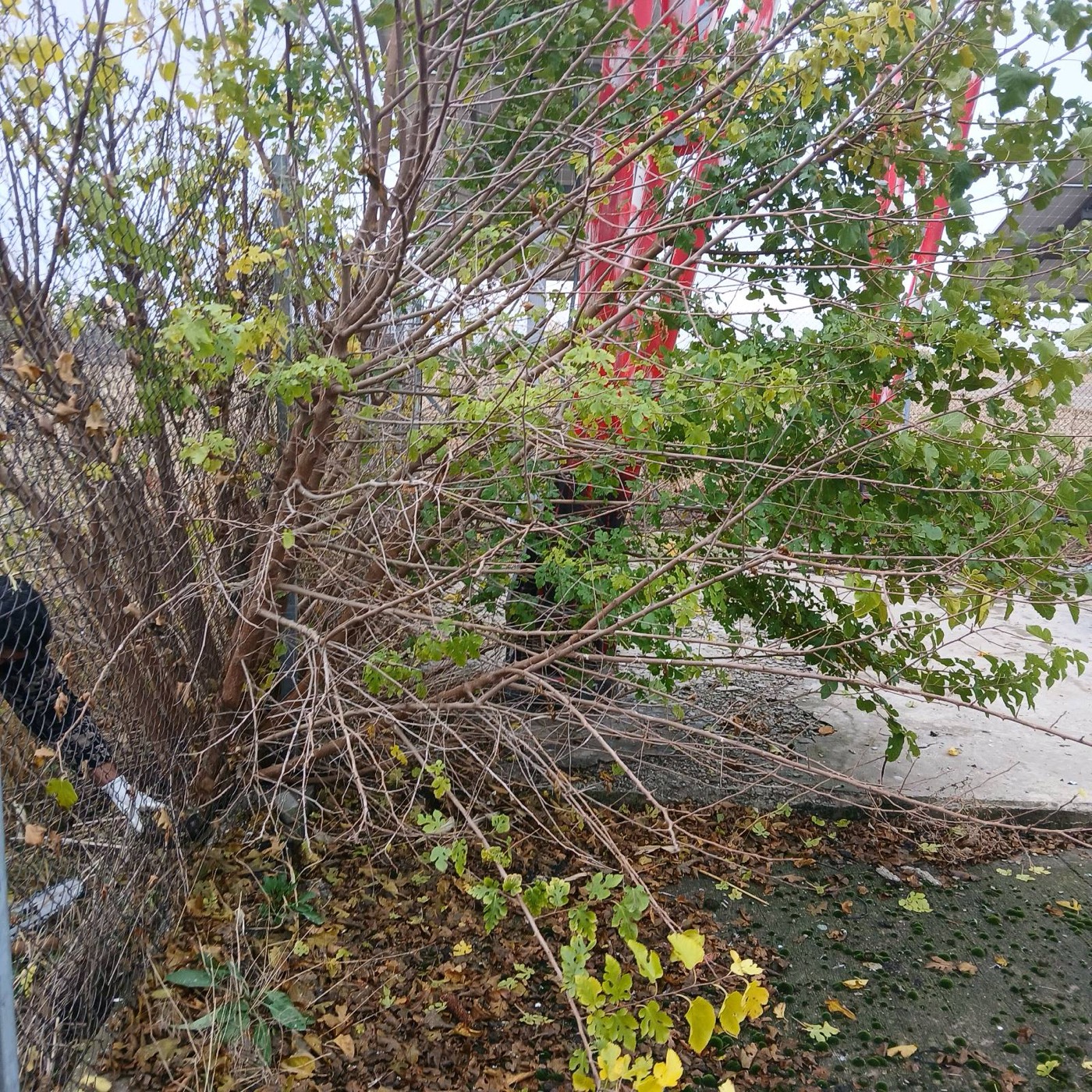
- Cut back vegetation inside the fence and along it, and keep the area around the tower legs and cable routes clear.
- Check drainage and the access path.
- Check fire extinguishers are present, in date and accessible.
- Remove waste and anything stored on site that should not be there.
What gets missed most often?
The items that fail quietly, with no alarm until it is too late:
- Battery capacity. The rectifier reports a normal voltage while the batteries are on float. Weak blocks only show when the batteries have to carry the site.
- Filters and coils. Temperature rises slowly, so nobody notices a single bad week.
- Earthing and surge protection. They do nothing visible until lightning strikes.
- Alarm logs. A unit that restarts or switches itself off and on may show a normal status at the moment of the visit. The history tells the real story.
- Vegetation. It grows a little every week, then blocks access, hides damage, holds moisture against steel and becomes a fire risk in summer.
How to run preventive maintenance across hundreds of sites
- One site record with the equipment, battery dates, earlier findings and photos, so every technician starts from the same information.
- Remote monitoring first. Mains, rectifier, battery, temperature and door alarms read continuously, so routine visits are planned and urgent problems are not left waiting for the next round.
- Digital checklists with readings and photos, filled in on site, not on paper typed up days later. A reading such as a block voltage or a temperature is evidence; a tick in a box is not.
- Findings become work orders automatically, with a priority and a deadline, and the visit is not closed until each finding has an owner.
- Group visits by area and season, and combine preventive visits with corrective work at the same site where possible.
Frequently asked questions
What is preventive maintenance on a telecom site?
Preventive maintenance on a telecom site is the planned inspection and servicing of power, batteries, cooling, the tower, earthing and the site itself, done before something fails. It combines remote monitoring of alarms with regular site visits and checklists.
How often should a cell site be maintained?
Many operators schedule a preventive visit to each active site every three to six months, with continuous remote monitoring in between. Air conditioner filters may need cleaning more often, earthing is measured once a year and structural tower inspections are typically done every three to five years.
What is checked during a telecom site visit?
A typical visit covers the mains supply and distribution board, rectifier and 48 V batteries, the generator where fitted, air conditioners and filters, earthing and surge protection, a visual check of the tower and antennas, the shelter or cabinets, and the fence, access and vegetation.
How often should a telecom tower be inspected?
ANSI/TIA-222-H recommends structural condition assessments about every three years for guyed masts and every five years for self-supporting towers, and after severe weather. A visual check from the ground is usually part of every preventive visit.
Who maintains the active equipment on a telecom site?
The radio and transmission equipment is usually maintained by the operator or the equipment vendor. The site maintenance team is typically responsible for power, batteries, cooling, the passive infrastructure and the site itself.
Sources
- ANSI/TIA-222-H, Structural Standard for Antenna Supporting Structures, Antennas and Small Wind Turbine Support Structures, including recommended maintenance and condition assessment intervals.
- IEEE 1188, Recommended Practice for Maintenance, Testing, and Replacement of VRLA Batteries for Stationary Applications.
- Rectifier, battery and air conditioner manufacturers' operation and maintenance documentation.
- Domar field procedures for telecom site preventive maintenance.
- Related reading: cell site backup power and what a 24/7 NOC does for field infrastructure.

Every site, every asset and every visit in one place
AllSiteCare brings alarms from site equipment, preventive maintenance plans and live field reports together, so you see what is happening at every location and what needs a visit.